Workspace for building AI-powered apps, agent teams, and automated business processes.
Best for: AI app building and Agent teams
Productivity & Automation
About this listing
Official documentation reviewed; examples are illustrative. No hands-on performance claim.
Official sourceAkiflow combines task capture and calendar planning with the Aki assistant.
Best suited to
Task capture and AI-assisted time blocking
Akiflow combines task capture and calendar planning with the Aki assistant. It suits people bringing tasks from several sources into one plan while retaining explicit control over their calendar.
Best for: Task capture and AI-assisted time blocking.
Illustrative input: Plan a 30-minute outline and 60-minute draft this afternoon; keep the 15:00 meeting fixed.
Illustrative expected result: Two feasible proposed work blocks without moving the fixed meeting. This is an editorial example, not a recorded vendor test. Check it against your original material before using it.
Pro is listed at USD 34/month billed monthly or USD 19/month billed yearly. The seven-day trial requires a card and starts a subscription unless cancelled; regional checkout pricing may differ.
There is no continuing free plan. Start with the smallest useful task; keep the original input and compare the result before committing to a larger workflow.
Taskade: compare a shared task workspace. Notion AI: keep planning near project documentation.
Reviewed 9 October 2026 against official product documentation and official pricing / access terms. Feature access and prices can change; the linked provider terms govern your account.
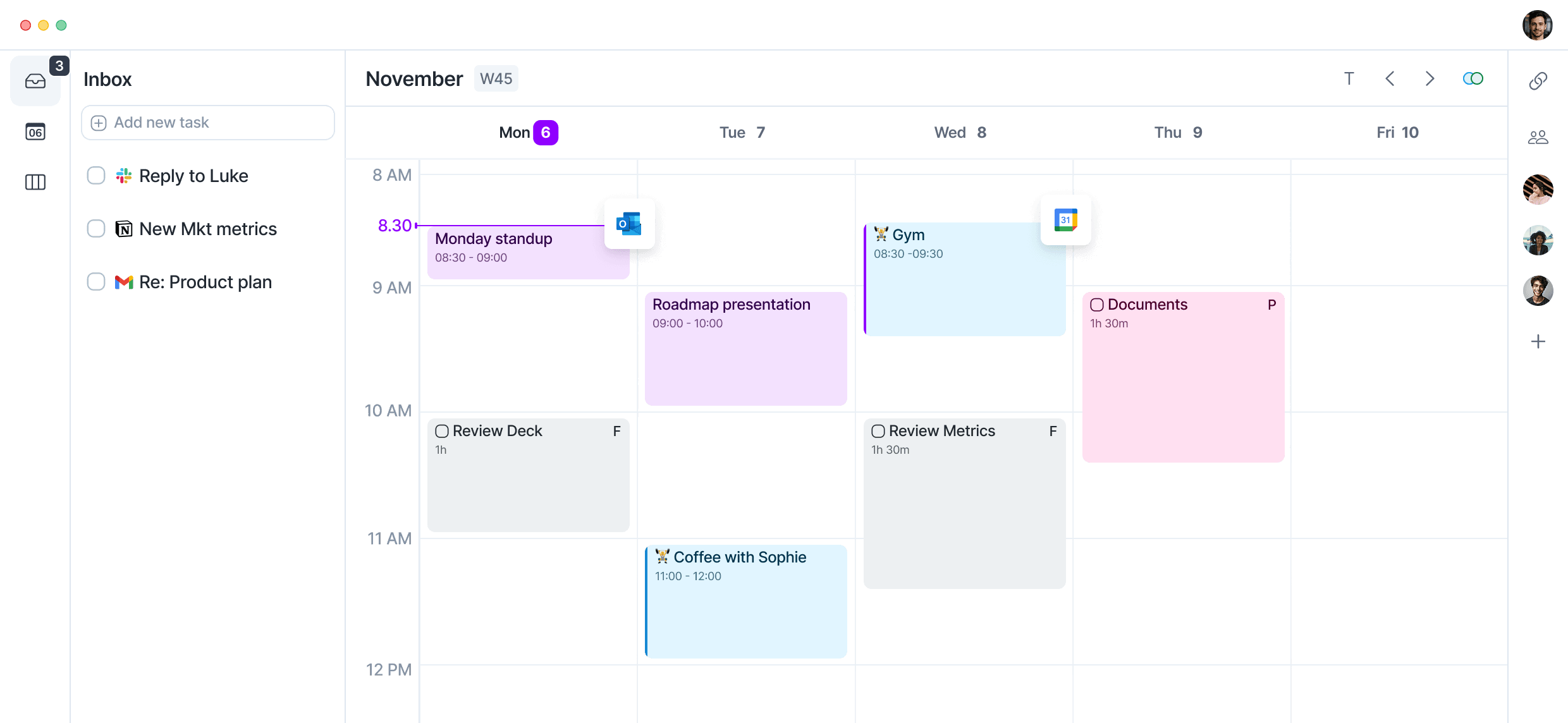
Task inbox
Time blocking
Calendar connections
Aki assistant
Task integrations
Subtasks
MCP connector
Pro is listed at USD 34/month billed monthly or USD 19/month billed yearly. The seven-day trial requires a card and starts a subscription unless cancelled; regional checkout pricing may differ.
Plan information can change. Prices and conditions are set by the provider. Information checked 2026-10-09.
Source for access detailsOne email a week with pricing and feature changes in this category. No per-tool price alerts.
By subscribing you agree to receive this email from Genius Forges and to us storing your address to send it. We may ask you to confirm by email. Every email has an unsubscribe link. See our privacy policy.
Akiflow combines task capture and calendar planning with the Aki assistant. It suits people bringing tasks from several sources into one plan while retaining explicit control over their calendar.
Pro is listed at USD 34/month billed monthly or USD 19/month billed yearly. The seven-day trial requires a card and starts a subscription unless cancelled; regional checkout pricing may differ.
Create a test inbox with three fictional tasks Set task durations before asking Aki to plan them Request a draft plan around a fixed meeting Review the proposed blocks before changing a real calendar
There is no continuing free plan The optional meeting assistant is a separate paid add-on
Taskade: compare a shared task workspace. Notion AI: keep planning near project documentation.
Tell us what needs improving. No account or private output required.
Report incorrect information or a broken linkDocumentation-based review · 2026-10-09
Original editorial guidance based on linked official sources; sample inputs and outputs are illustrative.
Workspace for building AI-powered apps, agent teams, and automated business processes.
Best for: AI app building and Agent teams
AI features inside Notion for writing, search, meeting notes, agents, and connected workspace tasks.
Best for: AI assistance grounded in a Notion workspace
AI timeline generator that turns a topic or notes into an editable timeline, with 10 gift credits and plans from $8 a month.
Best for: Timelinify is for students, teachers, writers and researchers who need a chronological timeline from a topic, pasted notes or uploaded files.
On Product Hunt
External community signal. Not our editorial ranking.