Video editing app with captions, traditional editing, AI generation, and automated enhancement on eligible plans.
Best for: Video captions and Timeline editing
Video GenerationMarketing & Ads
AI video workspace combining agent-assisted creation, timeline editing, and generative video tools.
Best suited to
AI video creation and Agent-assisted editing
AI video workspace combining agent-assisted creation, timeline editing, and generative video tools.
Describe a video, review the generated structure, and refine clips, audio, and visuals in the editor.
Access and pricing: A Free plan includes limited credits to explore the platform. Paid plans expand generation and editing capacity; export, model, and credit restrictions apply.
InVideo combines agent-assisted creation, a timeline editor and generative models. The pricing page lists Lite, Pro and Ultra agent tiers and says Pro and Ultra include all Seedance models, with Seedance 2.5 at 1080p and 2.0 at 4K, while Basic includes the Seedance 2.0 Fast and Mini models. Apps are linked on Google Play and the App Store.
Pricing is per seat and billed annually. Basic is $4 per seat a month with 190 credits and up to 5 seats. Pro is $15 with 1,000 credits and up to 10 seats. Ultra is $40 with 3,000 credits and up to 20 seats, plus the lowest cost per credit.
Unused credits do not roll over, and the page says credit costs can change without notice. Monthly pricing is roughly double the annual rate. The pricing page did not mention a free plan, free limits or watermark policy, even though the existing listing mentions a Free plan with limited credits. Confirm in your account what the free tier includes today. Pricing checked on the official page in October 2026: The pricing page lists Basic from $9 per seat a month (190 credits), Pro at $30 (1,000 credits) and higher team and business plans, with a 50% annual discount advertised. No free plan is listed there, so confirm what a new account includes.
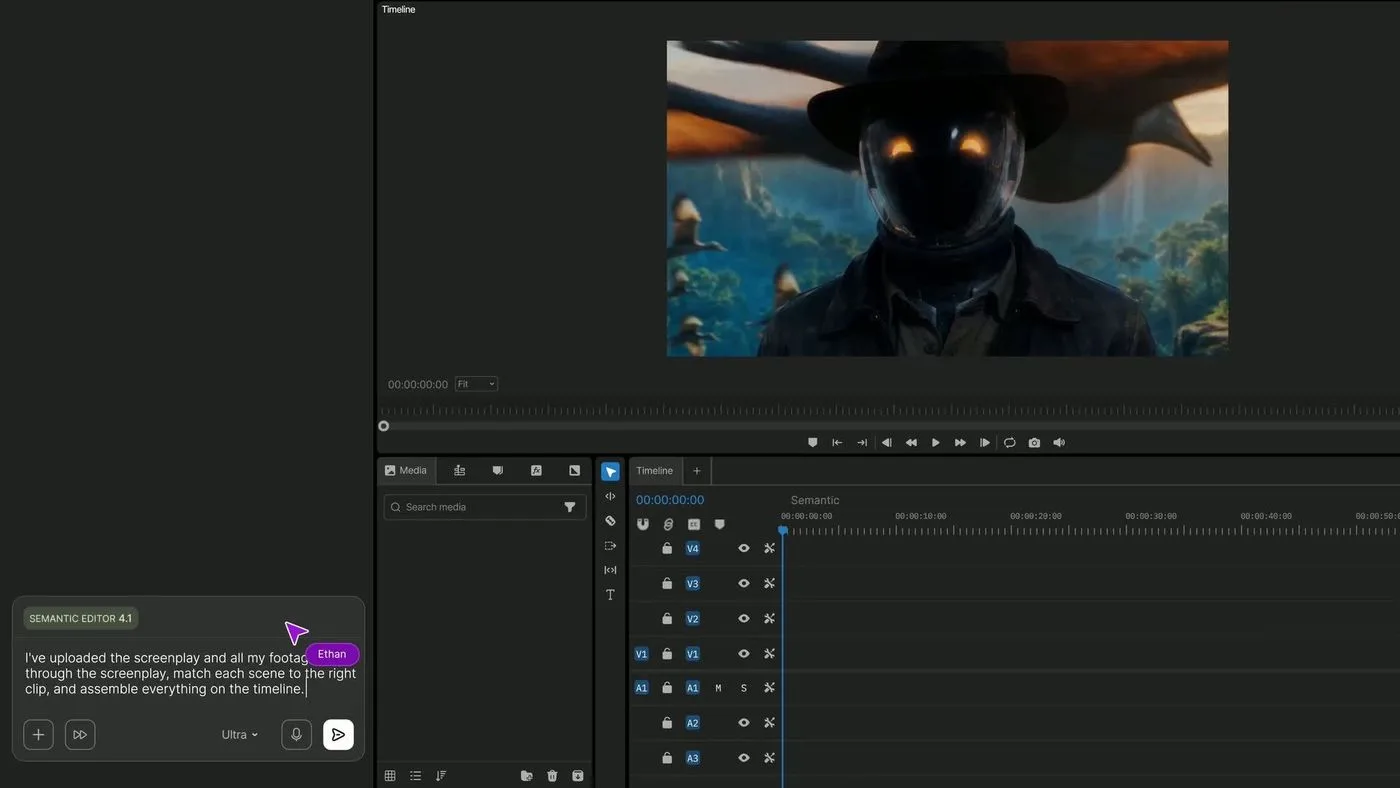
AI video creation
Agent-assisted editing
Timeline editor
Generative media
Team collaboration
The pricing page lists Basic from $9 per seat a month (190 credits), Pro at $30 (1,000 credits) and higher team and business plans, with a 50% annual discount advertised. No free plan is listed there, so confirm what a new account includes.
Plan information can change. Prices and conditions are set by the provider. Information checked 2026-10-15.
Source for access detailsOne email a week with pricing and feature changes in this category. No per-tool price alerts.
By subscribing you agree to receive this email from Genius Forges and to us storing your address to send it. We may ask you to confirm by email. Every email has an unsubscribe link. See our privacy policy.
Describe a video, review the generated structure, and refine clips, audio, and visuals in the editor.
A Free plan includes limited credits to explore the platform. Paid plans expand generation and editing capacity; export, model, and credit restrictions apply.
Official-source information was reviewed on 2026-10-06. Plans and limits can change; check the linked provider source before subscribing.
The existing listing mentions a Free plan with limited credits, but the pricing page read in this check showed only paid plans and no free limits or watermark policy. Confirm what is available when you sign up.
Per the pricing page, billed annually per seat: Basic $4 a month, Pro $15 and Ultra $40. Monthly billing is roughly double. Credits are 190, 1,000 and 3,000 per seat a month.
No. The pricing page says unused credits do not roll over to the next month and that credit costs can change at any time without notice.
InVideo is used to create videos with AI agents, edit them on a timeline and generate clips with generative video models.
Tell us what needs improving. No account or private output required.
Report incorrect information or a broken linkVideo editing app with captions, traditional editing, AI generation, and automated enhancement on eligible plans.
Best for: Video captions and Timeline editing
Text-based video and audio editor with transcription, recording, AI cleanup, and a conversational editing assistant.
Best for: Transcript-based editing and Screen recording
Creative AI platform for video and image generation, editing, and visual production workflows.
Best for: Visual creators iterating on generated video and images