Mistral's Vibe assistant, formerly Le Chat, for chat, research, document work, coding sessions, and connected tasks.
Best for: AI chat and Web search
Chatbots & AssistantsAI Agents & Workflows
About this listing
Official documentation reviewed; examples are illustrative. No hands-on performance claim.
Official sourceJan is an open-source desktop assistant that can run downloaded models locally or connect to online providers.
Best suited to
Offline desktop conversations with local models
Jan is an open-source desktop assistant that can run downloaded models locally or connect to online providers. It suits people who want local text conversations with explicit control over model choice.
Best for: Offline desktop conversations with local models.
Illustrative input: Summarize: the team approved the green logo; the font is undecided; review is Thursday.
Illustrative expected result: Logo approved, font undecided, review Thursday; no invented decision about typography. This is an editorial example, not a recorded vendor test. Check it against your original material before using it.
The desktop application is free and open source. Paid provider API calls and computer hardware are separate. Features labelled coming soon on the website are not included here.
Offline quality and speed depend on the model and hardware. Start with the smallest useful task; keep the original input and compare the result before committing to a larger workflow.
HuggingChat: avoid downloading models. Mistral Vibe: use a repository-oriented coding agent.
Reviewed 9 October 2026 against official product documentation and official pricing / access terms. Feature access and prices can change; the linked provider terms govern your account.
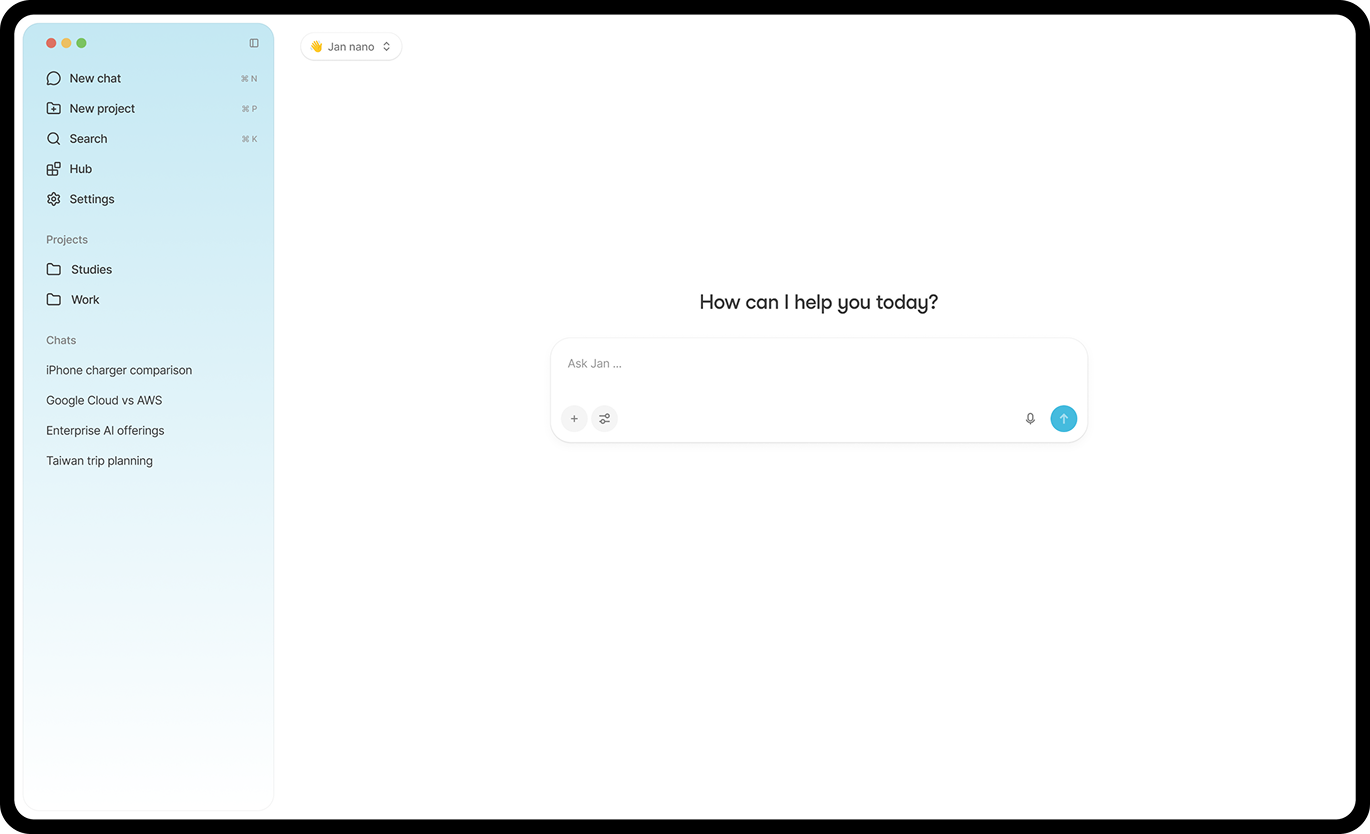
Local model chat
Offline inference
Remote provider connections
Desktop interface
Open-source code
Local API server
The desktop application is free and open source. Paid provider API calls and computer hardware are separate. Features labelled coming soon on the website are not included here.
Plan information can change. Prices and conditions are set by the provider. Information checked 2026-10-09.
Source for access detailsOne email a week with pricing and feature changes in this category. No per-tool price alerts.
By subscribing you agree to receive this email from Genius Forges and to us storing your address to send it. We may ask you to confirm by email. Every email has an unsubscribe link. See our privacy policy.
Jan is an open-source desktop assistant that can run downloaded models locally or connect to online providers. It suits people who want local text conversations with explicit control over model choice.
The desktop application is free and open source. Paid provider API calls and computer hardware are separate. Features labelled coming soon on the website are not included here.
Install a supported desktop release from the official project Download a compatible local model Summarize a fictional note in three bullets Repeat without a network connection and verify no remote provider is selected
Offline quality and speed depend on the model and hardware Connecting a remote provider changes where prompts are processed
HuggingChat: avoid downloading models. Mistral Vibe: use a repository-oriented coding agent.
Tell us what needs improving. No account or private output required.
Report incorrect information or a broken linkDocumentation-based review · 2026-10-09
Original editorial guidance based on linked official sources; sample inputs and outputs are illustrative.
Mistral's Vibe assistant, formerly Le Chat, for chat, research, document work, coding sessions, and connected tasks.
Best for: AI chat and Web search
Hugging Face's chat interface for exploring open-model assistants with automatic or manual model selection.
Best for: Exploring community and open-model chat assistants
Backend for coding agents: model access, user login, Postgres and file storage under one project key, with a $0 starter.
Best for: Vectoree is for developers and teams whose coding agents, such as Cursor, Claude Code or Codex, build apps that need a backend.
On Product Hunt
External community signal. Not our editorial ranking.