Back to discovery
✒️
Free plan + paidInformation reviewed 2026-10-11

Kittl

Visit Website

About this listing

Official product and access pages reviewed; limits can change.

Official source

Create merchandise designs, editable vectors and product mockups with AI tools on a shared design canvas.

Best suited to

Create merchandise designs, editable vectors and product mockups with AI tools on a shared design canvas.

Meet Kittl

Kittl brings generated visuals, vector editing, typography and mockups into a browser design workspace. It fits creators making merchandise or campaign assets who also need to arrange the generated elements into a usable layout. A useful starting point is a small graphic with a deliberately short headline, rather than a finished shop full of unreviewed designs. Keep any required wording as editable text so you can proofread it separately from the image. Use a conventional layout editor when exact print production controls outweigh the value of the integrated AI workflow.

Getting started (documentation-based; not a hands-on product test):

  1. Start a small design from a blank canvas or a permitted template.
  2. Generate one simple motif, then adjust its vector or layout elements.
  3. Add and proofread the headline as editable typography.
  4. Check the plan license and export dimensions before printing.

Example task (illustrative): A two-color mountain motif for a fictional hiking club; add the club name as editable text.

Check the result against your original input and the stated plan limits. Sources reviewed on 11 October 2026 are linked below.

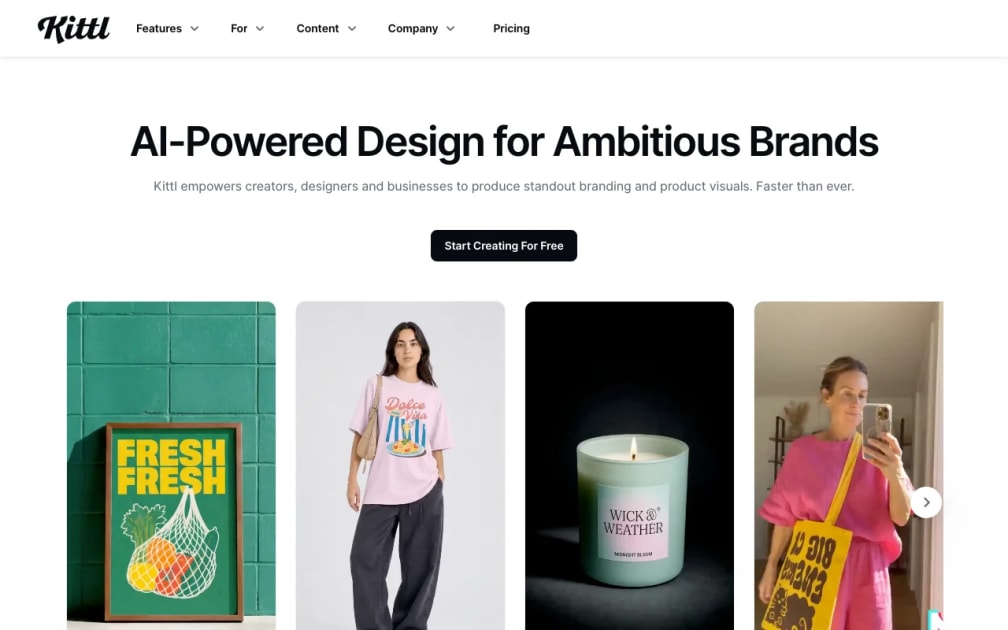
Actual public Kittl product page captured on 11 October 2026.
Official product image · Provider source

What you can do

AI image generation

AI vector generation

Raster-to-vector conversion

Product mockups

Editable typography

Background removal

Where it helps

  • Generated art can be developed on the same canvas as layout elements
  • Vector tools help reuse suitable graphics at different sizes
  • Mockups provide a separate presentation step for merchandise

What to consider

  • Free access has personal-use and export restrictions
  • AI actions consume tokens that vary by model and feature
  • Commercial licensing must be checked before selling designs

Pricing & free access

Official pricing
Free plan + paid

Free plan for exploration and personal projects; paid plans add commercial licensing and higher-resolution exports.

Plan information can change. Prices and conditions are set by the provider. Information checked 2026-10-11.

Source for access details

Weekly AI tool changes in Design & UX

One email a week with pricing and feature changes in this category. No per-tool price alerts.

Questions about Kittl

Who should use Kittl?

Kittl brings generated visuals, vector editing, typography and mockups into a browser design workspace. It fits creators making merchandise or campaign assets who also need to arrange the generated elements into a usable layout.

Is Kittl free?

Free plan for exploration and personal projects; paid plans add commercial licensing and higher-resolution exports.

What should I prepare first?

Start a small design from a blank canvas or a permitted template.

How should I check the result?

Check the plan license and export dimensions before printing.

Was this workflow tested on the product?

This listing is based on official documentation reviewed on 11 October 2026. The sample is illustrative; no hands-on product result is claimed.

Did this help you complete your task?

Tell us what needs improving. No account or private output required.

Was this useful?
Report incorrect information or a broken link

Review evidence

Documentation-based review · 2026-10-11

Original editorial guidance based on official product and access documentation. Example tasks are illustrative, not observed product tests.

Other tools to consider

Explore all tools

AI furniture visualizer that places products from any store into your own room photo, with a limited free trial and no card needed.

Best for: DecorViz is for home shoppers, designers and furniture merchants who want to see a piece in a real room before buying.

Image GenerationE-commerce & Product Photography

Browser tool that previews whole outfits on your photo by swapping garments, with 5 free image credits and a $2.99 starter pack.

Best for: Private Try-On is for shoppers who want to check colour, proportions and overall look before buying clothes.

E-commerce & Product PhotographyImage Generation

Turn prompts into working prototypes and apps inside Figma, then edit visually, add a built-in CMS and share or publish.

Best for: Figma Make suits designers and product teams who want a clickable, code-backed prototype from a prompt without leaving Figma.

Design & UXNo-Code / Low-Code

We use optional cookies for analytics and referral tracking. Learn more about our privacy policy