1980s Mall Studio Portrait From Your Photo
Use your own uploaded photo to create a 80s retro portrait while keeping the subject recognizable. Includes a fictional reference and a real AI-edited example.
Try these reference inputs
Download the permitted sample and attach it in your chosen AI platform. Compare your result against the original subject.
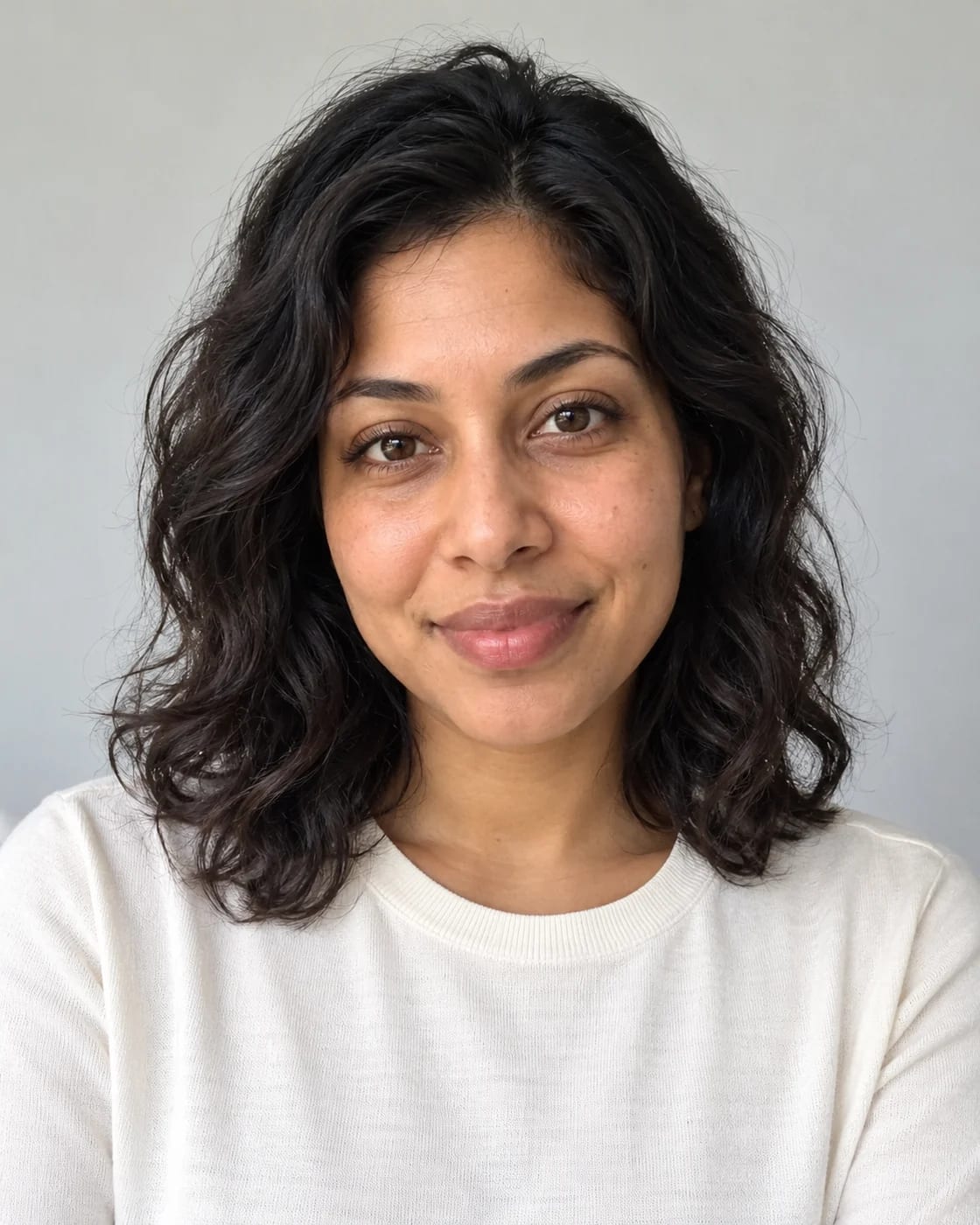 Open reference image
Use your attachments
Attach your files in the chosen AI platform, then paste this prompt.
Before you paste
Attach one clear, well-lit photo of yourself in your chosen image-editing AI platform, then paste this prompt. Use a photo showing one adult person with an unobstructed face and visible hair. The website provides the prompt; the photo is uploaded in your chosen AI app.
Your prompt
Transform the person in the attached photo into a believable 1980s mall-studio portrait. Keep their recognizable face, skin tone and apparent adult age. Style their existing hair with soft period-inspired volume without altering its color or natural texture, and dress them in a modest cobalt blouse with structured shoulders and small gold-tone earrings. Use a painted peach-and-blue studio backdrop, soft direct flash, gentle film grain, warm slightly faded color and a subtle optical glow around highlights. Frame from the chest up with a relaxed three-quarter shoulder angle and eyes toward the camera. Keep facial details crisp enough to recognize; avoid exaggerated glamour retouching, double exposures, fake date stamps or text. The result should feel like an original family-album photo, not a celebrity recreation.

Use the attached photo as the identity reference. Preserve recognizable facial structure, eye shape, nose, lips, skin tone, apparent adult age and natural body proportions. Do not replace the subject with a generic model, lighten their skin, slim their face or smooth away all skin texture. Change only the stated styling, outfit, pose, lighting and environment. Keep the face unobstructed and realistically lit. Produce one polished photorealistic portrait in a vertical 4:5 composition, with breathing room around the head and shoulders and a clear subject. Avoid extra people, malformed hands, readable text, logos and watermarks. If no usable photo is attached, ask for one before generating; if several people are visible, ask which person to transform.Copy, paste, and create. Outputs can vary by model and settings.
Get one tested prompt a week
One workflow, one prompt, one tool and one quality check by email. No spam, unsubscribe any time.
By subscribing you agree to receive this email from Genius Forges and to us storing your address to send it. We may ask you to confirm by email. Every email has an unsubscribe link. See our privacy policy.
Example result

Actual photo edit generated with the built-in image generation tool on 12 October 2026 from the fictional reference shown below. Model identifier was not exposed. This example was not tested separately in the listed platforms.
How to use this prompt
- 1Open an image-editing platform and attach your photo, or download the fictional practice reference below.
- 2Paste the complete prompt. In Midjourney use the Edit Model with the attached image as a subject reference; in Firefly choose Edit image with an image-editing model.
- 3In Leonardo use Omni editing; in Ideogram choose Auto or Ideogram 4.5 with reference images. Copilot and Grok accept an uploaded photo plus editing instructions.
- 4Generate a portrait, compare the face and hairline with the reference, then refine any identity drift before saving.
Tips & limitations
The practice subject is an AI-generated fictional adult woman. Facial resemblance and anatomy can drift; compare with your source before sharing. Platform access, account limits and model choice vary. Measured September spike for “80s ai photo” has cooled in the latest complete week; included as a useful retro option, not a rising October claim.
Did this help you complete your task?
Tell us what needs improving. No account or private output required.
Report incorrect information or a broken linkReview evidence
Documented hands-on review · 2026-10-12
The displayed reference-to-result edit was generated and visually reviewed with the built-in image tool. Platform compatibility is documentation-based, not separate platform testing. Measured September spike for “80s ai photo” has cooled in the latest complete week; included as a useful retro option, not a rising October claim.
- Google Trends comparison, researched 12 October 2026
- Pinterest Beauty Trend Report, 6 October 2026
- Copilot uploaded-image editing
- Grok photo editing
- Leonardo Omni image editor
- Ideogram reference-image editing
- ChatGPT image generation and reference images
- Gemini uploaded-image editing
- Midjourney Edit Model
- Firefly Edit image