Use My Attached Photo as the Subject, with a Separate Style Reference
Use your attached photo as the subject in ChatGPT image generation: a separate style reference, with identity, composition and quality checks stated.
Try these reference inputs
Download the permitted sample and attach it in your chosen AI platform. Compare your result against the original subject.
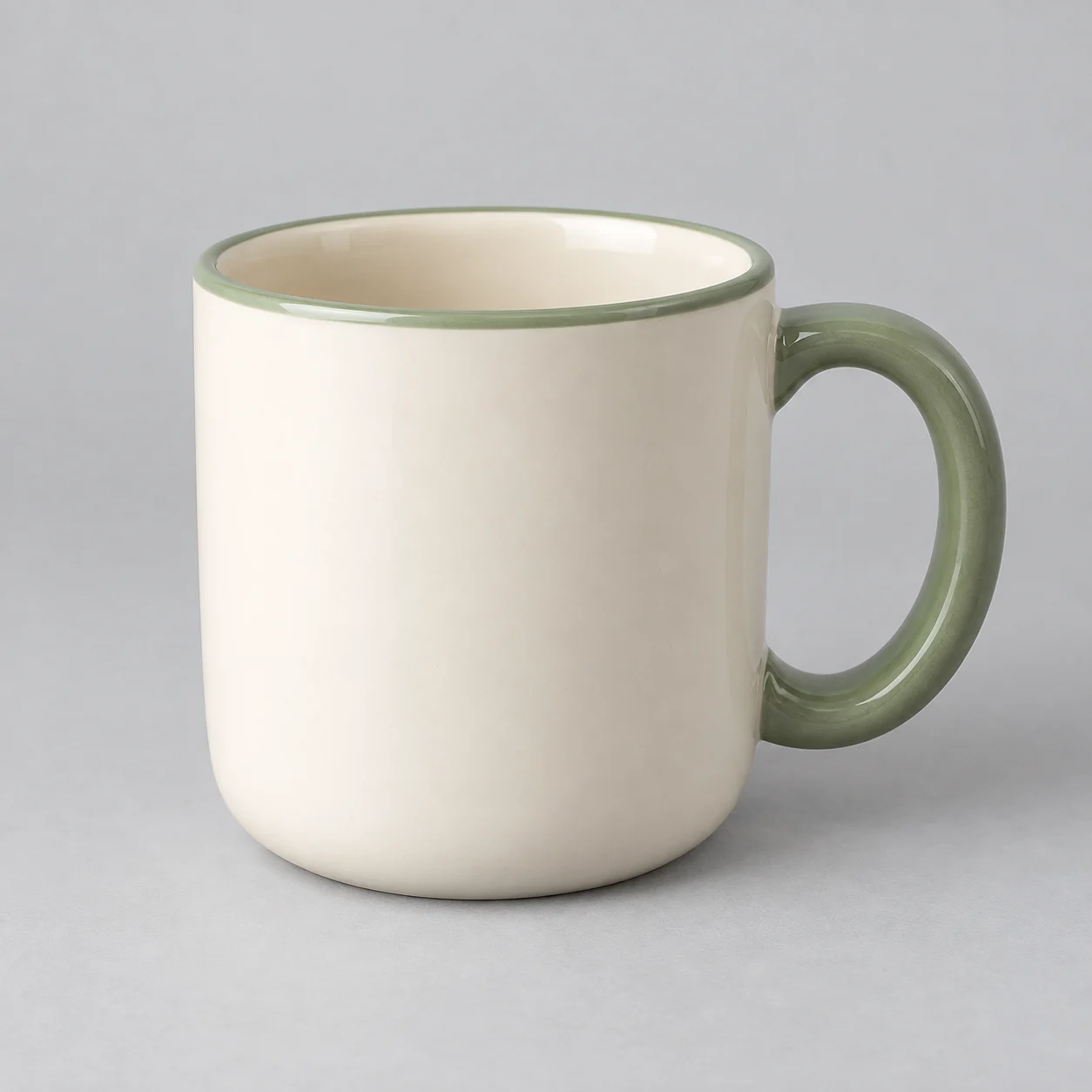 Open reference image
Use your attachments
Attach your files in the chosen AI platform, then paste this prompt.
Before you paste
Attach an authorized subject photo in the image platform. Optionally add a style reference and identify it as the second image. Uploads happen on the selected platform, not this directory.
Your prompt
Use my attached first photo as the subject reference. Preserve the visible facial identity or product shape as faithfully as the platform allows. If I attach a second image, use it only for visual style, lighting and composition; do not copy its person or product identity. Create one coherent concept image. Do not invent a new person from the style reference. If either reference is unclear, ask which image controls the subject before generating. After generation, I will compare subject details and disclose edits. Do not promise exact identity preservation.Copy, paste, and create. Outputs can vary by model and settings.
Use it on
Get one tested prompt a week
One workflow, one prompt, one tool and one quality check by email. No spam, unsubscribe any time.
By subscribing you agree to receive this email from Genius Forges and to us storing your address to send it. We may ask you to confirm by email. Every email has an unsubscribe link. See our privacy policy.
Example result
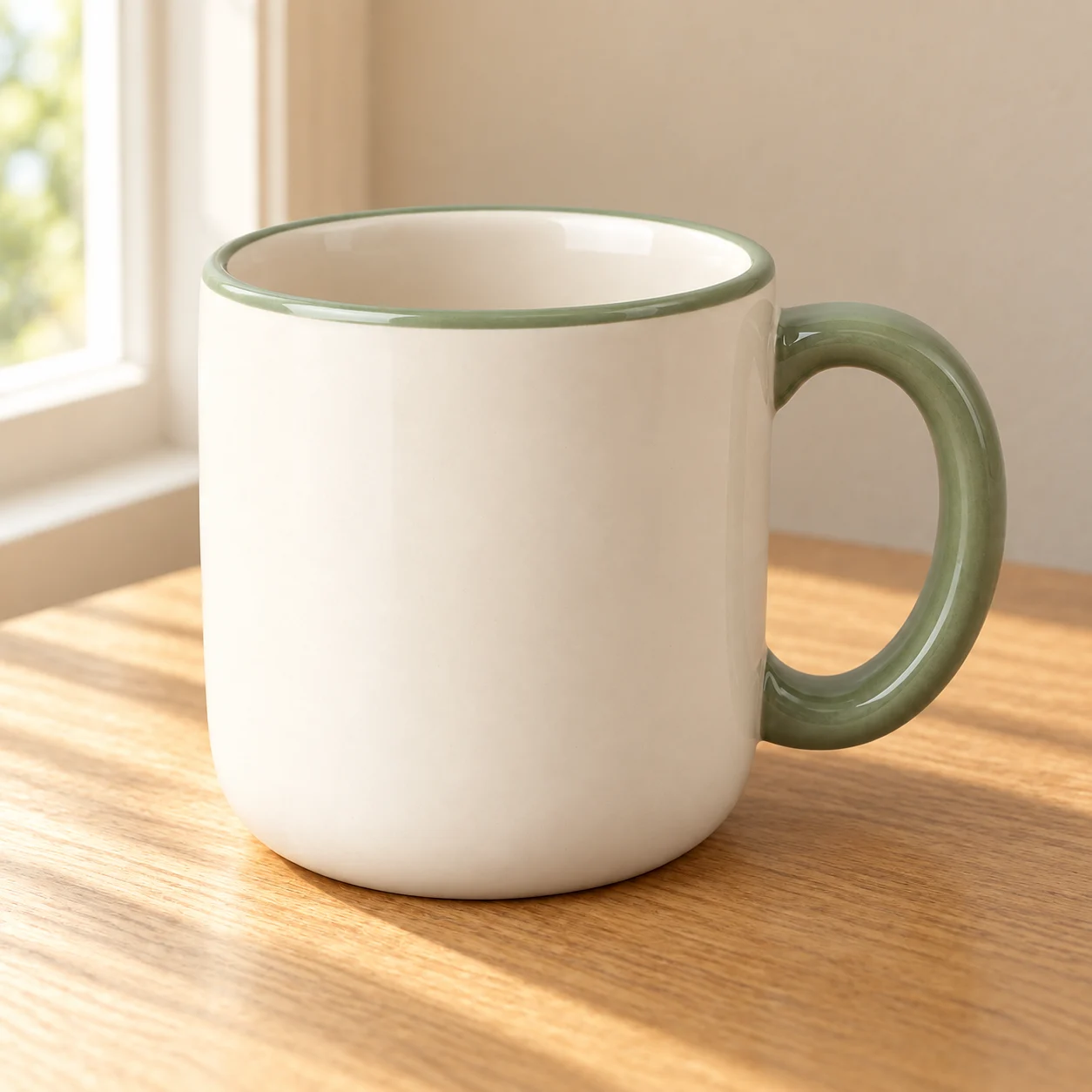
Observed image edit using the built-in imagegen tool on 7 October 2026. The input is an owned fictional product image. Other listed platforms were not tested.
How to use this prompt
- 1Open a compatible image platform and attach the subject photo.
- 2Optionally attach a separate style image, then copy this prompt.
- 3Compare the generated subject to the original; rerun or stop if the identity is distorted.
Tips & limitations
The supplied input and output were created using the built-in imagegen tool. Visual review: cream body, green right-side handle and green rim remain; background and lighting change. This is not pixel-identical preservation, a real product photograph or a guarantee of identity fidelity. Review your own subject at full resolution. Compatibility does not imply testing in every listed platform.
Did this help you complete your task?
Tell us what needs improving. No account or private output required.
Report incorrect information or a broken linkReview evidence
Documented hands-on review · 2026-10-07
The supplied input and output were created using the built-in imagegen tool. Visual review: cream body, green right-side handle and green rim remain; background and lighting change. This is not pixel-identical preservation, a real product photograph or a guarantee of identity fidelity. Review your own subject at full resolution. Compatibility does not imply testing in every listed platform.