Terminal-based AI coding tool that edits an existing codebase and works with Git and chosen model providers.
Best for: Developers making reviewable code changes from the terminal
Coding & DevelopmentAI Agents & Workflows
Open-source coding agent with planning, file changes, terminal workflows, and integrations across supported development tools.
Best suited to
Developers who want an open coding agent and provider choice
Open-source coding agent with planning, file changes, terminal workflows, and integrations across supported development tools.
Give the agent a bounded task, review its proposed actions, and inspect the changes and checks before accepting them.
Access and pricing: The core repository is Apache-2.0. Model, hosted inference, or optional service subscriptions may cost extra; free software does not include unlimited model usage.
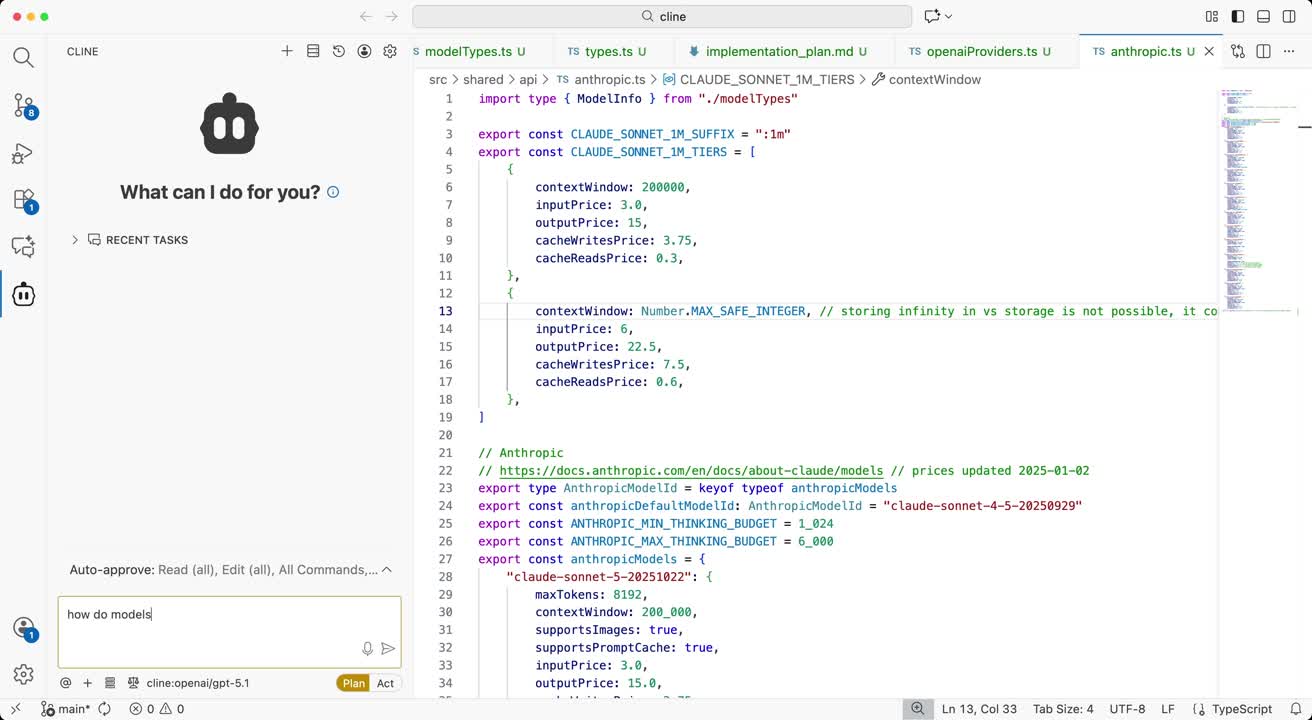
The GitHub README describes Cline as an open-source coding agent for your IDE, terminal and desktop. It can edit files across a project, run terminal commands, and work in Plan mode (explore and outline) or Act mode (execute), with diffs you review and checkpoints for undo. It also supports MCP servers, .clinerules files, skills, scheduled agents and a headless CLI mode.
Install the VS Code extension from the marketplace, or the JetBrains plugin, or run npm i -g cline for the CLI. A desktop app for macOS and Windows is also listed. Pick a provider such as Anthropic, OpenAI, Google Gemini, OpenRouter, or local Ollama or LM Studio, then give Cline a small task and review each proposed action.
The repository is Apache 2.0, but the README notes the JetBrains plugins are not open-sourced. Model usage costs depend on the provider you connect, so the software being free does not mean unlimited use. Review commands before approving them, especially with auto-approve turned on.
Plan and Act workflows
File edits
Terminal commands
MCP tools
SDK and CLI
The core repository is Apache-2.0. Model, hosted inference, or optional service subscriptions may cost extra; free software does not include unlimited model usage.
Plan information can change. Prices and conditions are set by the provider. Information checked 2026-10-06.
Source for access detailsOne email a week with pricing and feature changes in this category. No per-tool price alerts.
By subscribing you agree to receive this email from Genius Forges and to us storing your address to send it. We may ask you to confirm by email. Every email has an unsubscribe link. See our privacy policy.
Give the agent a bounded task, review its proposed actions, and inspect the changes and checks before accepting them.
The core repository is Apache-2.0. Model, hosted inference, or optional service subscriptions may cost extra; free software does not include unlimited model usage.
Official-source information was reviewed on 2026-10-06. Plans and limits can change; check the linked provider source before subscribing.
Cline's code is open source under Apache 2.0, so the software itself is free. You pay for whatever model provider you connect, unless you use local models on your own hardware.
Yes, the core repository is licensed Apache 2.0 according to its GitHub page. The page notes that the JetBrains plugins are not open-sourced.
The README lists a VS Code extension, a JetBrains plugin, a CLI installed with npm, and a desktop app for macOS and Windows. Check the repository for the latest list.
Cline lists Anthropic, OpenAI, Google Gemini, OpenRouter, Vercel AI Gateway, AWS Bedrock, Azure and GCP Vertex, Cerebras and Groq, local Ollama and LM Studio, and any OpenAI-compatible API.
Tell us what needs improving. No account or private output required.
Report incorrect information or a broken linkTerminal-based AI coding tool that edits an existing codebase and works with Git and chosen model providers.
Best for: Developers making reviewable code changes from the terminal
Automation workspace with AI chat, agents, flows, tables, app connections, and self-hosting options.
Best for: Visual flows and AI agents
AI code editor and coding agent for project-aware changes, task delegation, review, and connected development workflows.
Best for: Project-aware coding agents and reviewable code changes